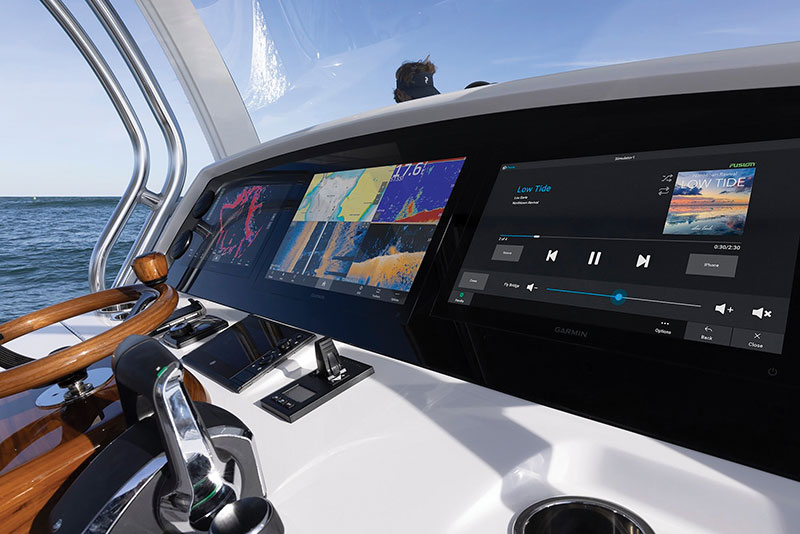
Garmin photo
Can’t find a chart you like? It’s easy to make your own.
by Glenn Hayes
Although electronic charts have vastly improved over the last decade, some destinations still lack the kind of detail that most boaters and fishers desire. Fortunately, there are now chartplotters from manufacturers like Garmin, Simrad, Lowrance, Raymarine and Humminbird that can create their own highly detailed cartography for poorly charted areas.
Garmin’s Quickdraw Contours software, for example, comes pre-loaded into many of their chartplotters bringing the ability to utilize depth data to create bathymetric lines on the chart display, then saving the data to a memory card loaded in the display.
As with all sonars, the depth recording begins with a sound signal which is transmitted through the water via the unit’s transducer. The sound wave is then reflected off the bottom and that echo is received by the transducer, and the unit does the math to determine the depth. So far so good.
With Quickdraw Contours, Garmin takes this information and creates a bathymetric line the size of the reflected signal, drawing that line on the chart. As the boat moves through the water, the software splices these lines together, creating a bathymetric chart with lines identifying one-foot changes in depth. On your display, when in the Quickdraw Contours setting, Garmin will indicate the mapped area with a small circle surrounding your boat. If it is green, you have good GPS coverage, good depth, and are running at a speed under 10 mph (the best scenario for creating charts). If the circle is yellow, you have good GPS coverage and depth but are running a bit fast for optimal charting, normally between 10 and 20 mph. The red circle indicates that one or a combination of factors prevents accurate recording. So long as you’re not seeing red, you can quickly and easily map any area you like and save the data for future use.
Recording on the Garmin is as simple as entering the menu from the chart view and pressing the Start Recording button, with no engineering degree required.
It is important to note that this new data should be stored on a memory card. Depending on the specific display, it will be either an SD or microSD card. Garmin recommends using a single-beam sonar to record longer, and they estimate being able to record up to 1,500 hours of data on a 2 GB memory card. That can translate to a lot of detailed charts of your favorite spots.
Community sharing
You can choose to share your newly charted information with other boaters if you feel generous and community minded. Garmin’s Quickdraw Community is an online resource that allows boaters to upload and share recorded data. As easy as it is to upload your data to share with the community, it is just as easy to select and download someone else’s data that may be useful for you. The community can be accessed online or through Garmin’s Active Captain app.
If your display has WIFI capability or through your smart device, you can just search for areas you are interested in and download them. Once loaded into the chart plotter, you have access to improved or previously uncharted areas for your fishing and cruising pleasure. A quick search through the community will show the extensive charting already available and growing daily. It is also a great source of finding new honey holes and anchorages you may not have considered.
One interesting note when sharing data is that only your depth recordings are shared, not your waypoints, so you can share data without fear of giving away all your favorite fishing spots.
Other display manufacturers and even electronic charting manufacturers have their own versions of self- and community-mapping capabilities. No matter which version you end up with, this is a powerful and valuable feature that can seriously improve your time on the water.

GLENN HAYES is a marine writer and photographer whose background in the marine industry and in marine electronics spans almost three decades and many thousands of miles at sea traveling the world. He can be reached at HAYESSTUDIOS.COM